
Partition Recovery
Partition Restoration Software Home Contact us Support Downloads Data Recovery Software
 

Introduction


NTFS Data Recovery Software

Common Features Of Data Recovery Software
 
Log
Save Recovered Data
Software Guidelines
Help Desk

NTFS Data Recovery Software Knowledgebase

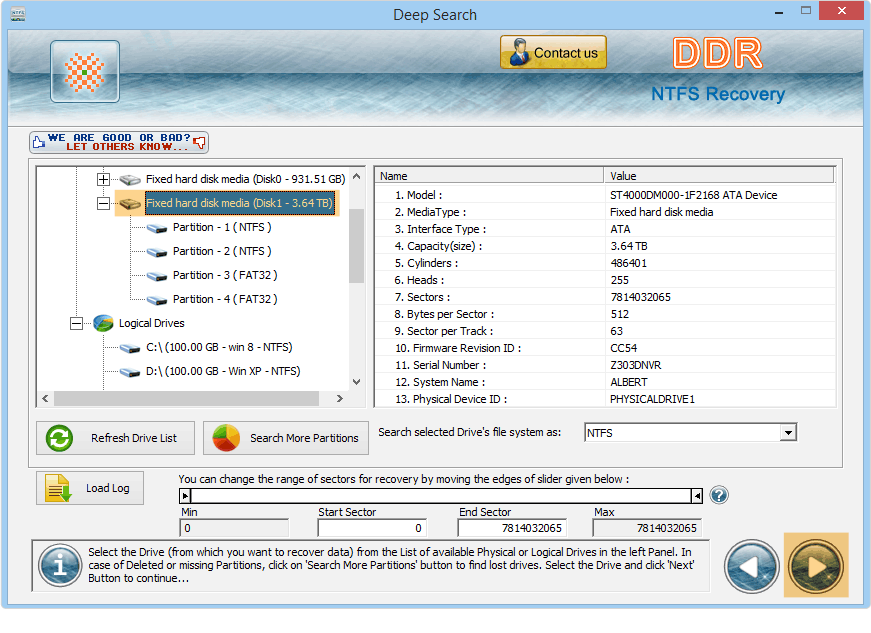
Select the physical drive from left panel and choose advance search

Select the logical partition for data recovery from left panel. User can select "Search More Partitions" for searching missing partition (in case if user is not able to view the required partition). Click on Next button, the screen is displayed as shown below:

Click on next button to continue

User can select desired partition from left panel and click on Next button to continue.

Click on next button

Previous page   Next page


Home | Contact us | Support | Downloads | Products | Terms and Conditions | Resources | Sitemap