Partition Recovery
Partition Restoration Software Home Contact us Support Downloads Data Recovery Software
 

Introduction


USB drive/Pen drive Data Recovery Software

Common Features Of Data Recovery Software
 
Log
Save Recovered Data
Software Guidelines
Help Desk

USB Drive/Pen Drive Data Recovery Software Knowledgebase

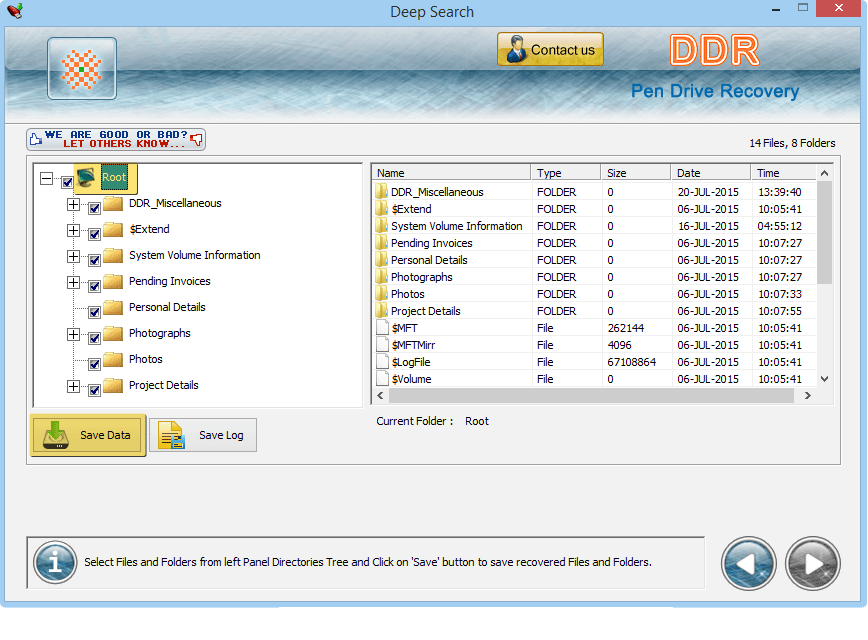
On completion of scanning, the recovered files and folders can be seen from left panel. To view the files or content of folder in right panel, user needs to check the directory from left panel.

View recovered files and folders

The recovered data can be saved to the specified location either from left panel or right panel by using right click option. When user right click on file or folder, pop up menu will be displayed from where save option can be selected to save the file or folder.

Select and save the data files from left or right panel

The location where data is required to be saved can be browsed. Then click on Save button to save the file.

browse the location to save the recovered data files


Previous page   Next page


Home | Contact us | Support | Downloads | Products | Terms and Conditions | Resources | Sitemap