

Home › Software Knowledgebase › Information About Windows Data Recovery Software › Searching Criteria

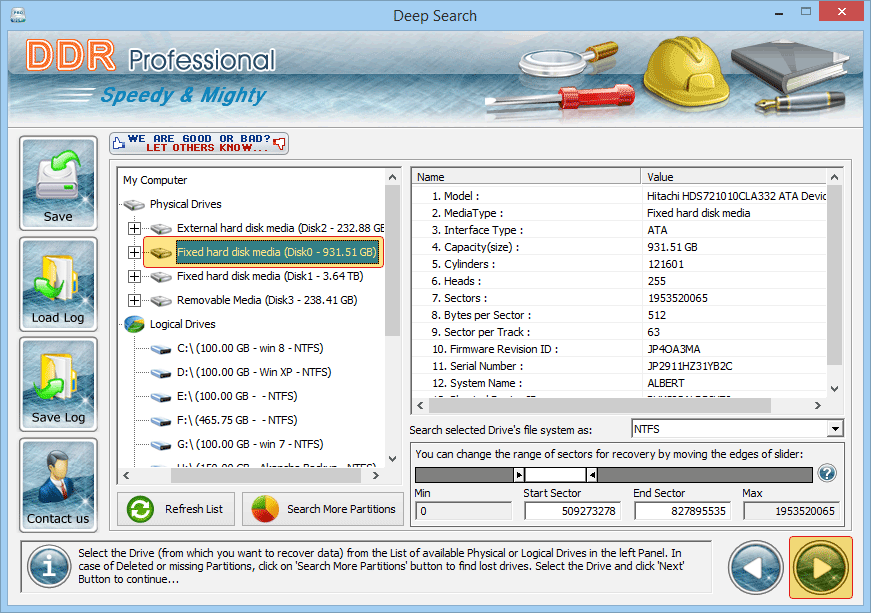
If you want to search lost data in "entire storage of disk" , select the disk which you want to recover data. If you want to search lost data "within a specific sector range", then drag Left and Right edges of Slider to enter sector range or you can also enter these values in ‘Start Sector’ and ‘End Sector’ fields manually type as shown figure:-
|
||
Data Recovery Software
Database Converter

